
Why Virtual Tours in Museums Are a Real Business Opportunity
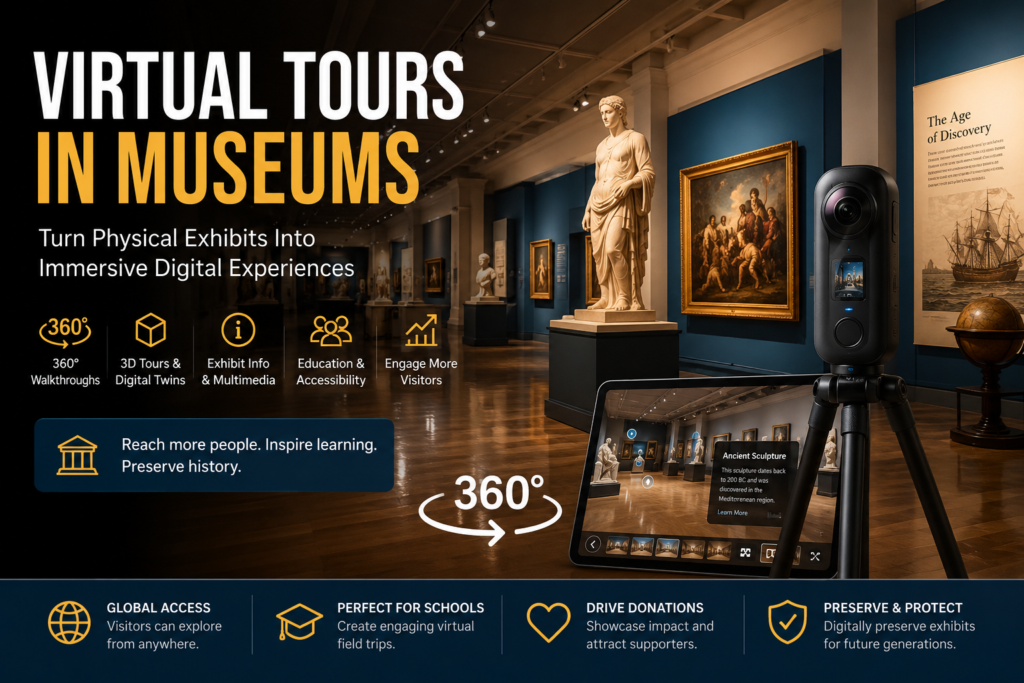
In this guide, we will break down exactly how to build a profitable business around virtual tours in museums, from equipment setups to landing your first clients. Museums are not just relying on foot traffic anymore. Schools, tourists, researchers, history fans, and people who cannot travel still want access to exhibits, galleries, artifacts, and cultural spaces online. That is why virtual tours in museums have become a serious digital service opportunity.
Major institutions already use virtual tours to let people explore exhibits online. For example, the Smithsonian National Museum of Natural History offers self-guided, room-by-room virtual tours that visitors can access from desktop or mobile devices. Their virtual tours also include current exhibits, past exhibits, research areas, and support stations.
That tells you something important: if the biggest museums are using virtual tours, smaller museums, local history centers, art galleries, cultural spaces, university collections, and private exhibit owners may eventually need the same thing.
This creates a business opportunity for someone who can walk into a museum, scan the space, create a professional 3D or 360-degree tour, and deliver a clean online experience the museum can embed on its website.
The good part? You do not need to own a museum. You need the right equipment, software, sales pitch, and service package.
Understanding the Market for Virtual Tours in Museums
A virtual tours in museums business helps museums, galleries, and exhibit spaces create online walkthroughs of their physical locations.
Instead of a visitor only seeing photos on a website, they can click through the museum digitally. Depending on the package, the tour may include:
- 360-degree walkthroughs
- 3D Matterport-style tours
- Exhibit labels and information tags
- Audio narration
- Video clips
- Artifact closeups
- Floor plans
- School field trip versions
- Website embed links
- Social media teaser videos
- Accessibility-friendly online tours
Think of it like Google Street View, but inside a museum, with a better story and more useful information.
Matterport describes its platform as a way to create immersive 3D digital twins, tours, floor plans, photos, and marketing assets from real spaces.
For museums, that can turn one physical exhibit into a digital asset that works 24/7.
Why Museums Need Virtual Tours
Museums need more than foot traffic. They need visibility, education, accessibility, and digital engagement.
A virtual museum tour can help them:
- Reach people who cannot visit in person
People may live too far away, have mobility limitations, or only want to preview the museum before planning a trip. - Support schools and teachers
Virtual tours can become digital field trips for classrooms. - Preserve past exhibits
Once an exhibit is removed, the virtual version can still live online. - Increase donations and sponsorship value
A museum can show donors exactly what they are supporting. - Improve website engagement
Visitors spend more time interacting with a 360-degree tour than scrolling through basic photos. - Promote tourism
A good virtual tour can convince people to visit in person later. - Create online educational products
Museums can package virtual tours into paid programs, school resources, or members-only content.
The Smithsonian’s virtual tour page specifically mentions that visitors can access past exhibits no longer on display, which is a major benefit for museums that rotate collections.
While this model works well for anyone looking to enter the digital services space, it is also a highly flexible option if you are specifically exploring side hustles for college students who need a business they can run between classes.
Who Can You Sell This Service To?
Do not only think about big museums. Start local.
Your best target clients are:
- Small museums
- Local history museums
- Art galleries
- College museums
- University collections
- Cultural centers
- Science centers
- Children’s museums
- Private collectors
- Historical homes
- Black history museums
- Veterans museums
- Firefighter or police museums
- Car museums
- Sports museums
- Churches with historical displays
- Tourist attractions
- Pop-up exhibits
- Art fairs
- Event galleries
Smaller museums are usually easier to reach than large national institutions. They may not have a digital media team, but they still need better online presentation.
That is where your business can come in.
Why Traditional Virtual Tour Agencies Fail Museums (And How We Are Different)
If you look at most generic digital agencies or local real estate photographers, they treat a museum like a house for sale. They show up, scan the rooms, hand over a basic 3D walkthrough link, and leave.
That doesn’t work for cultural institutions, and it’s exactly why standard virtual tours fail. Here is the difference between a basic camera scan and a true digital museum experience:
- From “Granite Countertops” to Historic Storytelling: Standard agencies don’t know how to curate content. We don’t just tag spaces; we work with your curators to embed rich audio narration, historical text, and high-resolution artifact close-ups that bring the exhibit to life.
- Turnkey Educational Packages: Most photographers walk away once the tech is set up. We turn your tour into an active learning asset by building out curated digital field trips, student worksheets, and teacher guides aligned with school curriculums.
- Preserving the Temporary: Traditional agencies focus only on permanent spaces. We specialize in archiving rotating galleries before they are taken down, creating a permanent digital archive that lives on your website forever.
- We Help You Find the Funding: When big tech companies drop a steep commercial invoice, the project usually dies due to “no budget.” We actively help smaller museums connect their projects to tourism boards, cultural grants, or corporate sponsorships (including sponsor-branded tour options) to offset the costs entirely.
We don’t just capture imagery—we package your museum’s physical authority into a 24/7 digital product for schools, donors, and tourists.
Services Your Virtual Tours in Museums Business Can Offer
When launching your service, you can package your virtual tours in museums into a few distinct tiers to appeal to different budgets:
Your business should not only sell “a virtual tour.” Sell packages.
1. Basic 360 Museum Tour
This is the starter package.
Includes:
- 360-degree photos of main rooms
- Clickable navigation points
- Website embed link
- Basic branding
- Simple delivery page
Best for small museums, art galleries, and local history centers.
2. Matterport 3D Museum Tour
This is a more professional package.
Includes:
- 3D walkthrough
- Dollhouse-style view if available
- Floor plan view
- Shareable link
- Website embed
- Highlight reel
- Optional tags on exhibits
Matterport has a dedicated collection of virtual museum tours, showing how the platform can be used for museums, exhibits, and galleries.
3. Educational Virtual Field Trip Package
This is where you can charge more.
Includes:
- Virtual tour
- Narrated exhibit sections
- Teacher guide
- Student worksheet
- Quiz or activity sheet
- Grade-level learning version
- Video intro from museum staff
This is perfect for museums that want to work with schools.
4. Premium Storytelling Tour
This package adds more detail.
Includes:
- 3D or 360 tour
- Audio narration
- Exhibit information popups
- Artifact closeup photos
- Embedded videos
- Sponsor branding
- Custom landing page
This is best for museums with grants, donors, sponsors, or special exhibits.
5. Monthly Hosting and Update Plan
This is where recurring income comes in.
Includes:
- Tour hosting
- Software management
- Broken link checks
- Exhibit updates
- Seasonal changes
- New room scans
- Analytics reports
- Website support
Instead of making money one time, you can make monthly recurring revenue.
Equipment Needed to Start a Virtual Tours in Museums Business
You can start small and upgrade later.
Beginner Setup
Good for basic 360 tours.
Estimated cost: $500–$1,500
You may need:
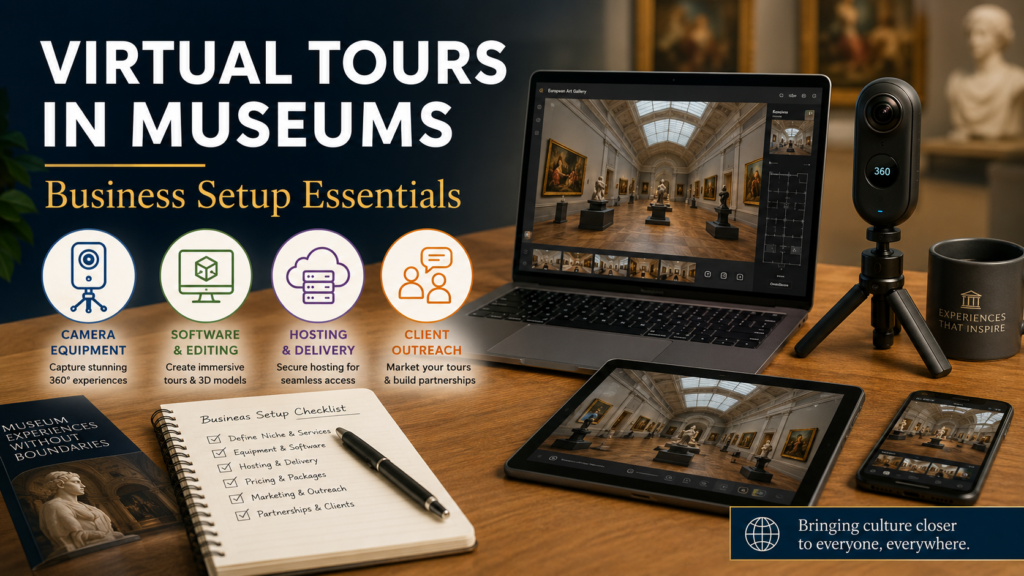
- 360 camera
- Tripod
- Phone or tablet
- Editing software
- Tour hosting platform
- Laptop
- External hard drive
- Basic lighting if needed
Popular beginner camera types include compact 360 cameras from brands like Insta360 or Ricoh. These are usually cheaper than professional 3D cameras and easier to learn.
Professional Setup
Good for higher-paying museum clients.
Estimated cost: $2,500–$8,000+
You may need:
- Matterport-compatible camera or 3D camera
- Professional tripod
- DSLR or mirrorless camera for still photos
- Gimbal for video clips
- Wireless mic for narration
- Editing software
- Matterport or similar subscription
- Business insurance
- Website portfolio
Matterport also sells plans and services that can create 3D tours, floor plans, high-quality photos, and other digital assets depending on the package.
Budget Tip
You do not have to buy the most expensive camera on day one.
Start with:
- A good 360 camera
- A tripod
- A clean demo tour
- A basic website page
- A strong outreach pitch
Then upgrade once you land paid jobs.
Software You Can Use
Your software depends on how advanced your tours are.
Options include:
- Matterport
- Kuula
- CloudPano
- 3DVista
- Pano2VR
- Google Street View tools
- WordPress embed pages
- Canva for sales decks
- CapCut or Premiere Pro for teaser videos
Matterport is one of the most recognized options because it can create immersive tours, floor plans, 4K print-quality photos, and 3D digital twins.
For museums, the best software is the one that lets you add information points. A basic real estate-style walkthrough is good, but museums need storytelling. You want the visitor to click on an artifact and learn something.
For museums, the best software is the one that lets you add information points. A platform like Matterport is one of the most recognized options because it can create immersive tours, floor plans, and 3D digital twins.
How Much Can You Charge for Museum Virtual Tours?
Pricing depends on the size of the museum, number of rooms, tour quality, and add-ons.
Here is a simple pricing model:
| Package | Best For | Price Range |
|---|---|---|
| Basic 360 Tour | Small gallery or one-room exhibit | $500–$1,500 |
| Standard Museum Tour | Small museum or multi-room space | $1,500–$3,500 |
| Matterport 3D Tour | Professional museum walkthrough | $2,000–$6,000 |
| Educational Field Trip Package | Schools and learning programs | $3,000–$8,000 |
| Premium Storytelling Tour | Funded exhibit or major collection | $5,000–$15,000+ |
| Monthly Hosting / Updates | Ongoing support | $99–$499/month |
Some commercial Matterport service pricing online shows commercial virtual tour packages in the $750–$2,000 range for offices, retail spaces, and restaurants, while museum projects can price higher because they often need planning, tagging, storytelling, and educational content.
Do not undercharge. Museums are not just paying for photos. They are paying for a digital exhibit experience.
Best Pricing Strategy for Beginners
When starting, use a simple three-tier offer.
Starter Package — $750 to $1,500
Includes:
- Up to 1 small exhibit or gallery
- 360 walkthrough
- 10–20 scan points
- Basic embed link
- 3–5 still images
Professional Package — $2,500 to $5,000
Includes:
- Multi-room museum scan
- 3D or 360 walkthrough
- Exhibit info tags
- Highlight reel
- Website embed
- 10–20 professional photos
Premium Package — $6,000 to $12,000+
Includes:
- Full museum virtual experience
- Narration
- Video clips
- Artifact closeups
- Education version
- Sponsor/donor branding
- Social media promo videos
- Analytics report
- 3–6 months support
This gives the museum options without making your offer confusing.
How to Set Up the Business Step by Step
Step 1: Pick Your Niche
Do not brand yourself as “I do virtual tours for everybody” at first.
Pick a niche like:
- Museum virtual tours
- Art gallery virtual tours
- Historical site virtual tours
- School field trip virtual tours
- Cultural exhibit virtual tours
Since your keyword is virtual tours in museums, build your content and service page around that exact phrase.
Example positioning:
“We help museums, galleries, and cultural spaces turn physical exhibits into interactive virtual tours for visitors, schools, and donors.”
That sounds more valuable than “I take 360 photos.”
Step 2: Choose Your Business Name
Your name should sound professional and easy to trust.
Examples:
- MuseumView 360
- Exhibit360 Media
- Virtual Museum Pro
- Heritage 3D Tours
- GalleryWalk Digital
- CultureView Media
- ExhibitScan Studio
- Local Museum Tours 360
You can also operate under a broader media company name and create a museum-specific service page.
Example:
Ty’s All-in-One Media — Museum Virtual Tour Services
Step 3: Form the Business Legally
Because you are operating a business centered on virtual tours in museums, institutions may ask for liability insurance and formal contracts before allowing you to scan.
Basic setup may include:
- LLC or business entity
- EIN
- Business bank account
- General liability insurance
- Service agreement
- Photo/video release terms
- Data/hosting policy
- Sales tax check depending on your state
- Website privacy policy
Because museums may be public, nonprofit, educational, or government-connected, they may ask for insurance, invoices, W-9 forms, and formal contracts.
You want to look professional from the beginning.
Step 4: Buy Starter Equipment
To start, you can keep it simple.
Beginner kit:
- 360 camera
- Tripod
- Phone/tablet
- Laptop
- Tour software
- External drive
- Business cards
- Branded proposal template
Once you land bigger jobs, upgrade to professional cameras and better software.
Step 5: Build a Demo Tour
A high-quality portfolio piece is the fastest way to prove you know how to create interactive virtual tours in museums.
This is the most important step.
Before museums pay you, they need to see what you can do.
Create a demo using:
- A small local gallery
- Your own room staged like an exhibit
- A community center display
- A church history wall
- A friend’s art studio
- A small antique collection
- A local business showroom
Your demo should include:
- Smooth navigation
- Clean image quality
- Clickable info tags
- A short intro
- A sample exhibit description
- A call-to-action button
- A mobile-friendly view
Do not wait until everything is perfect. A simple demo is better than no portfolio.
Step 6: Create a Website Service Page
Your website page should target the keyword virtual tours in museums.
Suggested page title:
Virtual Tours in Museums: 3D & 360 Museum Tour Services
Include these sections:
- What you offer
- Why museums need virtual tours
- Example demo
- Pricing packages
- Who you serve
- Benefits for schools and donors
- Process
- FAQ
- Contact form
Add photos of your camera setup, screenshots of your tours, and examples of clickable exhibit labels.
Step 7: Build a Museum Contact List
Start local.
Search for:
- “museums near me”
- “local history museum”
- “art gallery near me”
- “cultural center near me”
- “historical society near me”
- “college museum near me”
- “private museum near me”
Put them into a spreadsheet.
Track:
- Museum name
- Website
- Contact person
- Phone
- Location
- Notes
- Follow-up date
- Whether they already have a virtual tour
Your best leads are museums with outdated websites, no virtual tour, poor photos, or special exhibits.
Step 8: Pitch the Service
Keep your pitch simple.
Do not overcomplicate it with tech words.
Example email:Virtual tour idea for your museum
Virtual tour idea for your museum
Hi,
I came across your museum and wanted to reach out with a simple idea.
I help museums and exhibit spaces create interactive 360° and 3D virtual tours that visitors can explore online. These tours can be added to your website and used for schools, donors, tourism, and people who cannot visit in person.
I’d love to create a short demo or talk through how a virtual tour could work for your current exhibits.
Would you be open to a quick conversation this week?
Thanks,
Ty
You can also call directly and ask for the director, curator, marketing manager, or education coordinator.
Best People to Contact at Museums
Do not send your pitch to a random inbox only.
Look for:
- Museum director
- Executive director
- Curator
- Education coordinator
- Marketing manager
- Visitor experience manager
- Development/fundraising manager
- Communications director
- Board member
- Historical society president
For small museums, the director may also handle marketing, events, and education.
What to Say on a Sales Call
Use this simple structure:
- Ask what exhibits they want more people to see.
- Ask if schools or remote visitors ever request online access.
- Ask if they have past exhibits they wish were preserved.
- Explain how a 360 or 3D tour works.
- Show your demo.
- Offer three package options.
- Ask if they have grants, donors, or upcoming exhibits that could fund it.
Do not lead with price. Lead with value.
Museums care about access, education, preservation, donors, and community impact.
How to Make the Tour More Valuable
A plain walkthrough is good. But an educational tour is better.
Add features like:
- Welcome video
- Audio narration
- Clickable artifact labels
- Sponsor logos
- Teacher guide
- Downloadable worksheet
- Exhibit timeline
- Before-and-after photos
- Donation button
- Membership button
- Accessibility text
- Closed captions
- QR code for in-person visitors
You can charge more when your tour helps the museum solve multiple problems.
How to Package Virtual Tours for Schools
This is a strong angle.
Many museums want school groups, but not every school can travel.
Create a Virtual Field Trip Package.
Include:
- 20–40 minute digital tour
- Teacher instructions
- Student worksheet
- Quiz questions
- Short video intro
- Grade-level version
- Downloadable PDF
- Optional live Zoom session
This can help the museum turn the virtual tour into an education product.
The Smithsonian also offers narrated virtual tour videos for exhibits, showing how narration can make virtual museum content more educational and guided.
How to Find Funding for Museum Clients
Some museums may say, “We like it, but we do not have the budget.”
Your answer should be:
“This type of project may be fundable through grants, donors, sponsors, tourism funds, or education budgets.”
Funding sources may include:
- Local tourism boards
- Arts grants
- Cultural preservation grants
- Education grants
- Accessibility grants
- Corporate sponsors
- Donor campaigns
- Museum memberships
- Local foundations
- City or county programs
You can even offer a sponsor version.
Example:
“This virtual tour was made possible by ABC Local Bank.”
That helps the museum justify the cost.
How to Create a Museum Virtual Tour Workflow
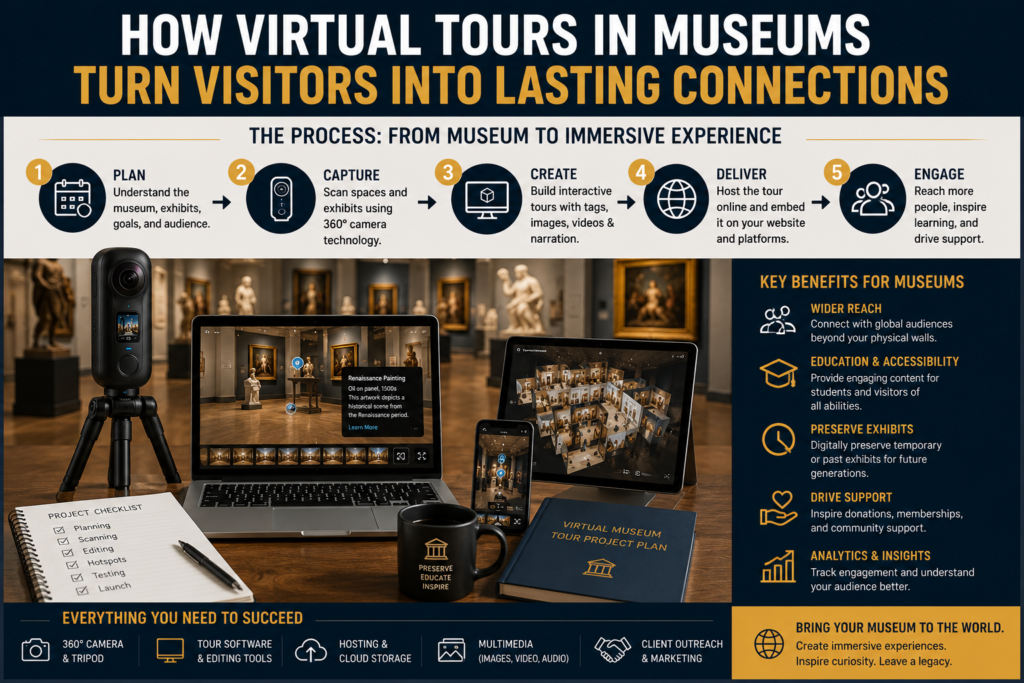
Use a professional process.
Before the Shoot
- Walk through the museum
- Choose rooms and scan points
- Check lighting
- Confirm restricted areas
- Identify important exhibits
- Get permission forms
- Plan visitor-free scanning time
- Review branding needs
- Confirm hosting and delivery
During the Shoot
- Arrive early
- Clean camera lens
- Use a stable tripod
- Scan room by room
- Avoid mirrors and crowds
- Capture exhibit details
- Take still photos
- Record short videos if needed
- Check every scan before leaving
After the Shoot
- Upload and process scans
- Edit navigation points
- Add exhibit labels
- Add branding
- Add links and buttons
- Test on desktop and mobile
- Send preview link
- Make revisions
- Deliver final embed code
- Offer monthly support
This workflow makes you look like a real company, not just someone with a camera.
How Long Does a Museum Virtual Tour Take?
It depends on the size of the space.
| Project Size | Shoot Time | Editing Time | Total Turnaround |
|---|---|---|---|
| Small gallery | 1–2 hours | 1–2 days | 2–4 days |
| Small museum | 3–5 hours | 3–7 days | 1 week |
| Medium museum | 1–2 days | 1–2 weeks | 2 weeks |
| Large museum | 2–5 days | 2–4 weeks | 1 month+ |
If you add narration, video, education materials, or custom landing pages, the project takes longer.
Common Mistakes to Avoid
Mistake 1: Charging Like Real Estate
Museum tours are not the same as real estate tours.
A house tour is usually simple. A museum tour needs storytelling, accuracy, labeling, and sometimes education content.
Charge for the extra planning.
Mistake 2: Not Getting Permission
Museums may have rules around artifacts, copyrighted artwork, private collections, donors, or restricted areas.
Always confirm what can and cannot be shown.
Mistake 3: Bad Lighting
Dark galleries can make virtual tours look low quality.
Test lighting before scanning. Some exhibits may need special handling.
Mistake 4: No Mobile Testing
Many visitors will view the tour on a phone.
Always test mobile navigation.
Mistake 5: Selling Features Instead of Benefits
Do not just say:
“I use a 360 camera.”
Say:
“This helps your museum reach schools, donors, tourists, and remote visitors 24/7.”
Benefits sell better than equipment.
How to Market Your Virtual Tours in Museums Business
1. Local SEO
Create service pages like:
- Virtual museum tours in Rochester NY
- 360 museum tours in Buffalo NY
- Art gallery virtual tours near me
- Museum digital twin services
- Virtual field trips for museums
Add your city and state.
2. Google Business Profile
Create a Google Business Profile for your service.
Use categories related to:
- Photography service
- Video production service
- Marketing agency
- Media company
Post examples of your virtual tours.
3. LinkedIn Outreach
Search for museum directors, curators, and education coordinators.
Send short messages with a demo.
4. Email Outreach
Email 20–50 museums per week.
Track follow-ups.
5. Partnerships
Partner with:
- Web designers
- Tourism boards
- Local photographers
- Grant writers
- School program consultants
- Chamber of commerce groups
- Historical societies
6. Content Marketing
Write blog posts like:
- Why Museums Need Virtual Tours in 2026
- How Virtual Tours Help Museums Reach Schools
- 360 vs 3D Virtual Tours for Museums
- How Museums Can Preserve Exhibits Digitally
- Virtual Field Trip Ideas for Small Museums
This can help you rank on Google and get inbound leads.
Example Business Offer
Here is a clean offer you can put on your website:
Museum Virtual Tour Services
We help museums, galleries, historical societies, and cultural spaces create interactive 3D and 360° virtual tours that visitors can explore online. Our tours are designed for education, accessibility, tourism, donor engagement, and digital exhibit preservation.
Services include:
- 360° virtual walkthroughs
- 3D museum tours
- Exhibit information tags
- Audio narration
- Website embed links
- School field trip versions
- Social media teaser videos
- Monthly hosting and updates
Best for:
- Museums
- Art galleries
- Historical societies
- Cultural centers
- Private collections
- Educational exhibits
Starting at: $750
FAQ: Virtual Tours in Museums
What are virtual tours in museums?
Virtual tours in museums are online walkthroughs that let people explore exhibits, galleries, and collections from a computer, phone, tablet, or VR device. They can include 360 images, 3D navigation, audio narration, videos, and clickable information tags.
Can small museums afford virtual tours?
Yes. A small museum can start with a basic 360 tour and upgrade later. Beginner packages may start around $750–$1,500, while larger museum projects can cost several thousand dollars depending on features.
What equipment do I need to create museum virtual tours?
You need a 360 camera or 3D camera, tripod, editing software, hosting platform, laptop, and a reliable workflow. For premium tours, you may also need audio gear, video equipment, and professional lighting.
How do virtual tours help museums?
Virtual tours help museums reach remote visitors, schools, donors, tourists, and people who cannot visit in person. They can also preserve past exhibits online after the physical exhibit is removed.
Can museums use virtual tours for schools?
Yes. Museums can turn virtual tours into digital field trips by adding narration, worksheets, quizzes, teacher guides, and grade-level learning materials.
Is Matterport good for museum virtual tours?
Matterport can be a strong option for museum virtual tours because it supports immersive 3D walkthroughs and digital twins. Matterport also showcases museum and gallery tour examples through its virtual tour collections.
How do I get my first museum virtual tour client?
Start local. Build a demo tour, create a simple website page, make a list of local museums and galleries, then email directors, curators, and education coordinators with a clear offer.
Final Thoughts: Is a Virtual Tours in Museums Business Worth Starting?
Yes, a virtual tours in museums business can be worth starting if you position it correctly.
Do not sell it like a basic photography gig. Sell it as a digital access, education, tourism, and preservation service.
Museums need ways to reach people beyond their physical location. Schools need digital field trips. Donors want to see impact. Tourists want to preview places before visiting. Smaller museums need better online presentation but may not know where to start.
That gap is your opportunity.
Start with a simple 360 camera, build a strong demo, contact local museums, and offer packages that make sense. Once you land your first few projects, use them as proof to sell bigger tours, educational packages, and monthly hosting plans.
Best starter move: create one clean demo tour, build a service page titled “Virtual Tours in Museums”, and pitch 25 local museums or galleries this week.